
How it works
From sign-up to a new neighbor's mailbox.
You do a little setup once and a few minutes a month after that. We do the rest: the mailing list, the writing, the envelopes, the stamps and the mail. Here's every step, start to finish.
Step 1 · Once, five or ten minutes
Your handwriting
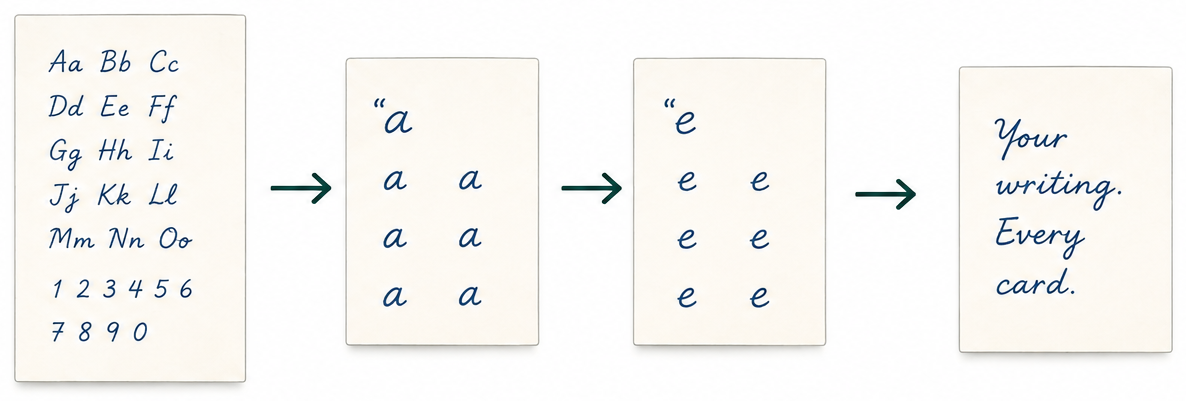
We send you one sheet. You fill it in by hand — the alphabet, the numbers, a few words and your signature — then scan it with your phone or a copier and send it back.
We digitize every letter on that sheet. From then on, every letter we mail is drawn by a pen plotter in your hand: your slant, your spacing, your g's and y's.
We keep several versions of each letter and let the lines drift a little, the way a real hand does. No two letters come out looking stamped.
You do this once. It's yours for as long as you're with us.
Step 2 · At sign-up
Your territory
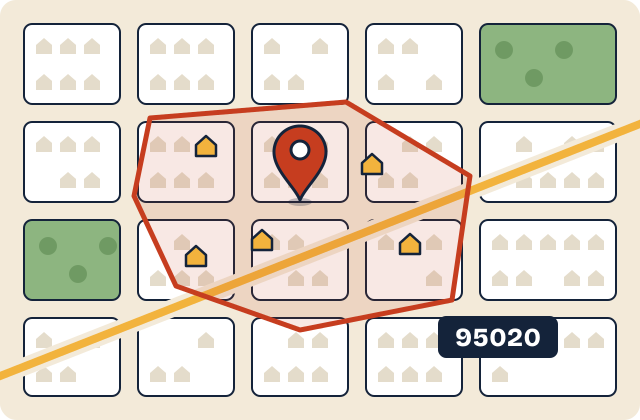
Your territory is a zip code you pick, and your trade. Put both into the check on the home page and you'll see right away whether it's open.
- Smaller zips go to one business per trade. Any plan holds them outright.
- Bigger zips take a bigger plan to hold outright, or get shared with one or two others in your trade.
- Either way, no household ever hears from two LocalLetters clients in the same trade. The plumber across town can't write to your neighbors through us.
Compare that to a shared lead, which gets sold to three to five of your competitors at once.
Step 3 · Every month, automatically
Who gets a letter
Every month we buy fresh new-mover data for your zip: the households that just moved in, whether they bought or signed a lease. They're the people who don't have “a guy” yet for the furnace, the roof, the lawn or the bugs.
New movers always get the first letter. If there's room left in your monthly plan after that, the rest goes out as follow-ups to people who already got a welcome letter from you — a short “still here if you need me” note.
You never build a list, buy a list or touch a spreadsheet.
Example month · Starter plan, 50 letters
- Welcome letters go firstHouseholds that just moved into your zip come first.
- Follow-ups fill the restSecond notes to earlier movers, as room in the plan allows.
Illustration only. The split changes month to month with how many people move in.
Step 4 · At sign-up, then a glance each month
What it says
Pick from letters already written for your trade, or write your own. Short and plain works best — who you are, where you're based, and how to reach you.
- See a preview in your own handwriting in the app before anything goes out.
- Change the wording whenever you want. Slow season, new service, new truck — say so.
- Each month you approve the batch. If you're busy and don't get to it, it goes out as-is by the send date.
Step 5 · In our print room
The pen
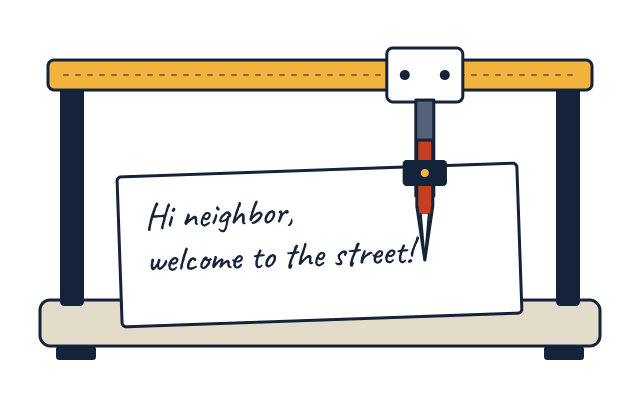
Not a font. Not a printer with a script typeface. A real pen plotter — a machine holding an actual pen — draws every line of your letter in real ink, one letter at a time.
Then the envelope gets the same treatment: the address handwritten, the letter sealed inside, a real stamp on the corner.
Run your thumb over it and you can feel the ink. So can they. That's the whole difference between mail that gets read and mail that goes in the recycling on the walk back from the mailbox.
Gilroy, CA The Nguyen family
418 Laurel Ct
Step 6 · When it lands
In the mail
Your new neighbor pulls a hand-addressed envelope out of a stack of flyers and bills. They open it, because nobody tosses a handwritten letter unopened. Inside is a short note from the local owner — you — in your own writing.
Your cell or business number is right there on the back. When the water heater goes, they don't scroll through ads. They go to the fridge.
In the app you can see what went out and when, month by month.
Mike, Valley Air
cell (408) 555-0142
What went out
- Welcome lettersthis month
- Follow-up lettersthis month
- Welcome letterslast month
Each month
About five minutes for you. Everything else is on us.
After the first month, this is the whole job.
What you do ≈ 5 minutes
- Open the app and look at this month's preview.
- Approve it — or change the wording first.
- Answer the phone when a new neighbor calls.
- Skip a month? It still goes out as-is by the send date.
What we do All of it
- Buy the new-mover data for your zip, every month.
- Pick who gets a welcome letter and who gets a follow-up.
- Write every letter and every address with a pen, in your hand.
- Envelopes, stamps and the trip to the post office.
- Make sure nobody else in your trade writes to your households.
The timeline
What the first few months look like
-
Month one
Sign up and send your sheet
- Check your zip and pick a plan.
- Fill in the handwriting sheet and send it back.
- Pick or write your letter.
-
Once your hand is ready
First letters go out
- You see the preview in your handwriting.
- You approve it.
- Recent movers in your zip get their welcome letter.
-
Every month after
The monthly rhythm
- New-mover data comes in for your zip.
- You glance, approve or let it ride.
- Welcome letters, then follow-ups, go in the mail.
Questions about the process
The stuff owners ask
Do I have to do anything each month?
Not really. You get a preview in the app and you can approve it or tweak it. If you don't get to it, it goes out as-is by the send date. Most owners spend about five minutes on it, some spend none.
Can I change my letter?
Yes, whenever you want. Swap to a different template for your trade or rewrite it yourself. The change shows up in your handwriting preview in the app and goes out with the next batch you approve.
What about addresses that are rentals?
The new-mover data includes people who bought and people who just signed a lease. Plenty of renters hire their own cleaners, lawn crews and pest control, and they won't be renters forever. If renters are a poor fit for your trade, text Daniel and talk it through before you sign up.
Can I see it before it goes out?
Yes. Each month's letter is waiting in the app as a preview in your own handwriting before the pen writes a single one. Look it over, change it or approve it.
How long is the commitment?
There isn't one. Plans are month to month and you can cancel any time. Give it a few months before you judge it, though — one month of mail tells you very little.
See if your zip is still open in your trade.
Takes ten seconds. If it's open, you can hold it while you decide.
Rather talk to a person? Text Daniel at 715-817-2116. He answers himself.